Aug 26, 2026
·Max Meyer
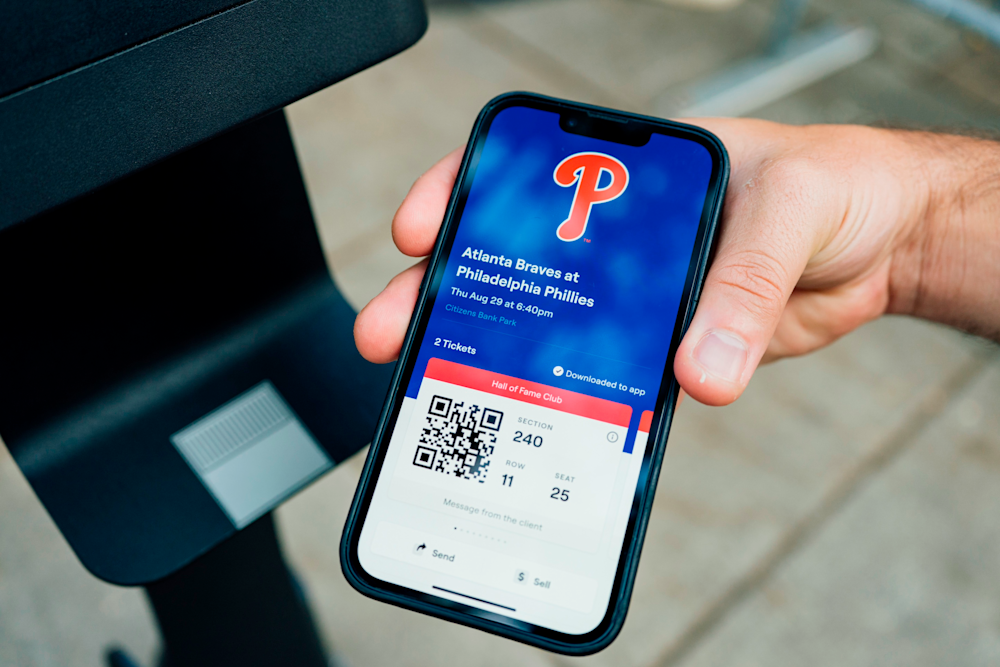
Your event is getting close and your tickets are still nowhere to be found. You check your inbox again. Then the SeatGeek app. Then your inbox one more time.
That is when it starts to feel stressful. If the clock is ticking, you probably do not want to keep clicking through automated answers. You want to know whether something is actually wrong and, if it is, how to reach a real person who can help.
In many cases, delayed ticket delivery is completely normal. Some tickets are available right after purchase, while others are not released until closer to the event depending on the venue and delivery method.
The key is knowing when to keep waiting and when to get help. Here is how to figure out where your tickets should be, what to check first and what to do if your event is getting close and they still have not arrived.
Why some tickets arrive later after you buy them
Tickets are not all delivered the same way, and buying them does not always mean they will be available immediately.
Some tickets are delivered directly to your SeatGeek account. Others need to be transferred by the seller through a third-party platform required by the venue, team or event, such as Ticketmaster, AXS or MLB Ballpark.
There are a few reasons you may still be waiting. The venue may not have released the tickets yet. A seller may still need to send the transfer. Or the tickets may already be available while the barcode itself stays hidden until closer to the event.
That is why delivery timing can vary so much from one order to another. One purchase may be ready almost immediately, while another may not arrive until much closer to showtime.
When delayed delivery is still normal
Not having your tickets yet does not automatically mean something is wrong.
Some venues and ticketing platforms do not release tickets until closer to the event. In other cases, the tickets may already have been transferred while the barcode stays hidden until the day before or day of the event.
The most useful thing to check is the expected delivery time on your order. If that deadline has not passed yet, the tickets may still be on schedule.
It is also worth checking whether the order requires a separate app or mobile transfer. A ticket can be delivered successfully without ever appearing as a live barcode inside the SeatGeek app.
The point to worry is not simply that the tickets are not there yet. It is when the expected delivery time has passed, the event is getting close and you still cannot access them.
When SeatGeek's Instant Delivery helps
Instant Delivery identifies eligible listings that are expected to be delivered within minutes of purchase. It is available across different types of live events, including sports and concerts, when the specific listing supports fast fulfillment.
When you browse SeatGeek listings, look for the lightning-bolt symbol. It can be especially helpful when you are buying on the day of an event or shortly before showtime because you have less time to wait for your tickets.
You can also confirm the delivery method in the listing details before completing checkout. Instant Delivery can reduce uncertainty, but you should still follow the instructions attached to your order and complete any required transfer or account setup as soon as the tickets arrive.
Where to look when your event is getting close and your tickets haven’t arrived
If your tickets still are not showing up, work through these checks first.
1. Check your SeatGeek account
Open the Tickets section in SeatGeek and review your order details. If the tickets are being delivered directly through SeatGeek, they should appear there once they are available.
2. Search your email
If your order uses mobile transfer, look for a delivery email from SeatGeek, the venue, the team or the ticketing platform handling the transfer.
Check spam, junk and promotions folders too.
3. Use the same email address from checkout
If you need to sign in to Ticketmaster, AXS, MLB Ballpark or another platform, use the same email address you used when buying the tickets on SeatGeek.
Using a different email can keep the tickets from appearing even after they have been transferred.
4. Open the third-party app directly
If you already accepted the transfer, open the required app or mobile site directly instead of going back to the original email link.
The tickets should be in the platform’s Tickets or Wallet section.
5. Check your mobile wallet
Your tickets may already be in Apple Wallet or Google Wallet.
Open the ticket from the wallet itself rather than relying on a screenshot, since some venues use live or rotating barcodes.
When should you contact SeatGeek about missing tickets?
If you have checked your SeatGeek account, email, mobile wallet and any third-party app tied to the order and the tickets still are not there, check the expected delivery time on your order.
If that deadline has passed, contact SeatGeek Support. If you are within a couple hours of the event and still cannot access your tickets, you may not want to keep waiting for them to appear on their own.
You should also reach out if you cannot find a transfer email, accepted the tickets but still cannot see them, or think there may be an issue with the email address or account receiving the transfer.
Start with the SeatGeek Help Center or the support options connected to your order. From there, you can work through the missing-ticket flow and, when needed, connect with a human support agent.
If you are already at the venue and still cannot access your tickets, contact SeatGeek while you are at the gate.
A real example of when it was time to get help
I ran into this exact situation recently after buying same-day Broadway tickets to see Oh, Mary! with my wife.
With a little under two hours until showtime, the tickets still had not arrived. At that point, I wanted to talk to someone who could tell me what was actually going on.
I went to the SeatGeek Help Center, selected "Help with an order" and then "Where are my tickets?"
That led me to an automated support chat, where I entered my order ID. It recognized that the tickets should have already been delivered and gave me a few ways to reach a human support agent, including chat, phone and email.
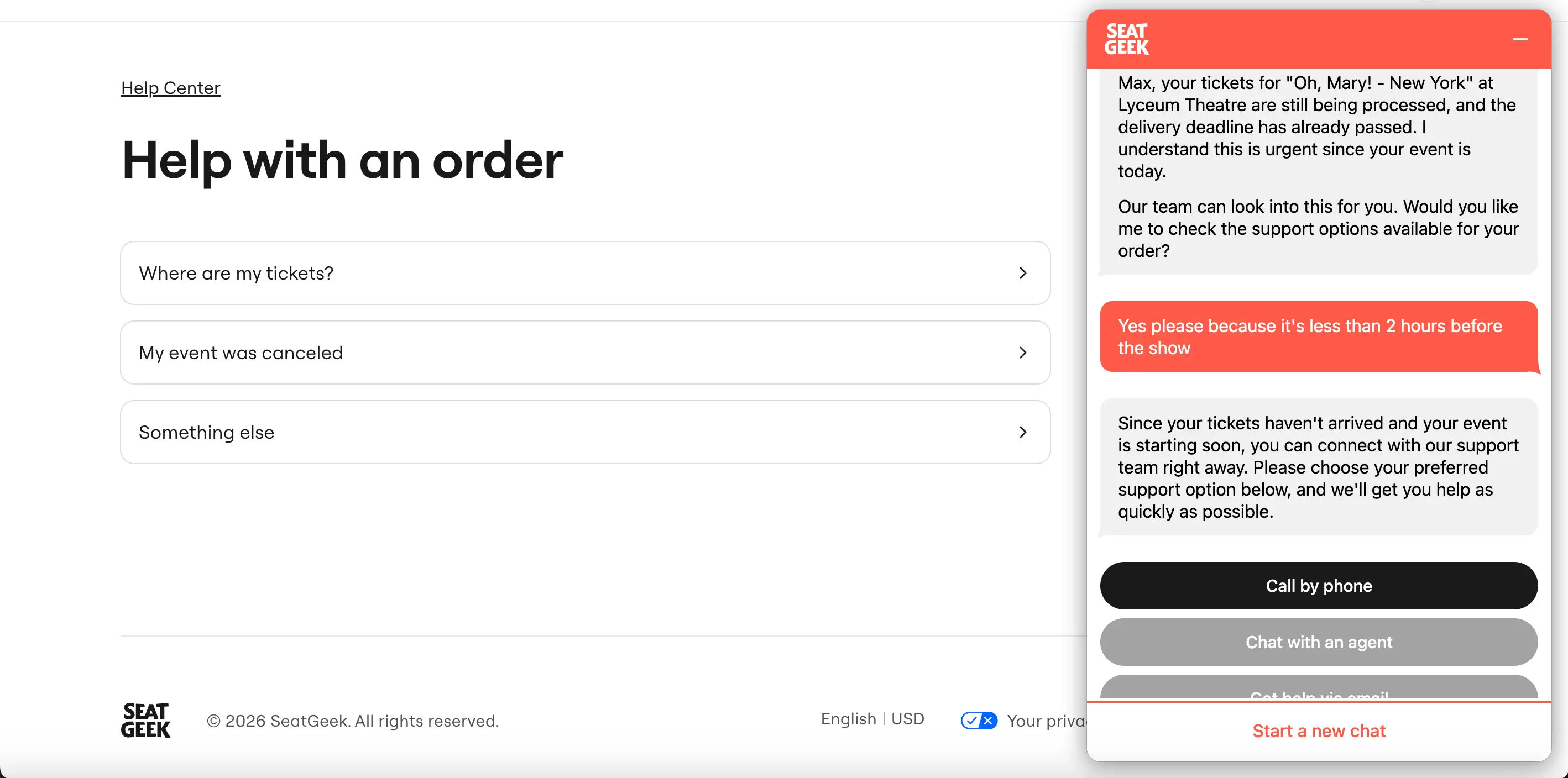
With the show getting closer, I chose the phone option. Within about 10 minutes of speaking with a SeatGeek human support agent, the issue was identified and the tickets were delivered.
That experience gave me a pretty good rule of thumb. If your tickets were supposed to be there already and the event is getting close, stop refreshing and reach out. Sometimes a quick conversation with a real person is all it takes to get things sorted.
Are you protected if your tickets are not delivered?
Yes. Eligible SeatGeek orders are covered by the SeatGeek Buyer Guarantee.
If your tickets do not arrive in time, do not get you into the event or are not the tickets you ordered, SeatGeek can step in. Depending on what happened, that could mean replacement tickets, a refund or another resolution.
The important thing to know is that a late delivery is not automatically a problem. Some tickets are not released until close to the event, so what really matters is whether they arrive by the promised delivery time and work when you get to the gate.
That gives you some protection if a normal delay turns into an actual ticket issue.
What to remember if your tickets have not arrived
A delayed ticket does not always mean something has gone wrong. But when the delivery window has passed and the event is getting close, that is when it matters where you bought your tickets.
With SeatGeek, you have a support path to follow and buyer protections behind the order if something does not go as expected.
Most of the time, the tickets arrive without an issue. But if something goes wrong, having a clear way to reach support can make a stressful few hours a lot easier to handle.