Mar 20, 2026
·Max Meyer
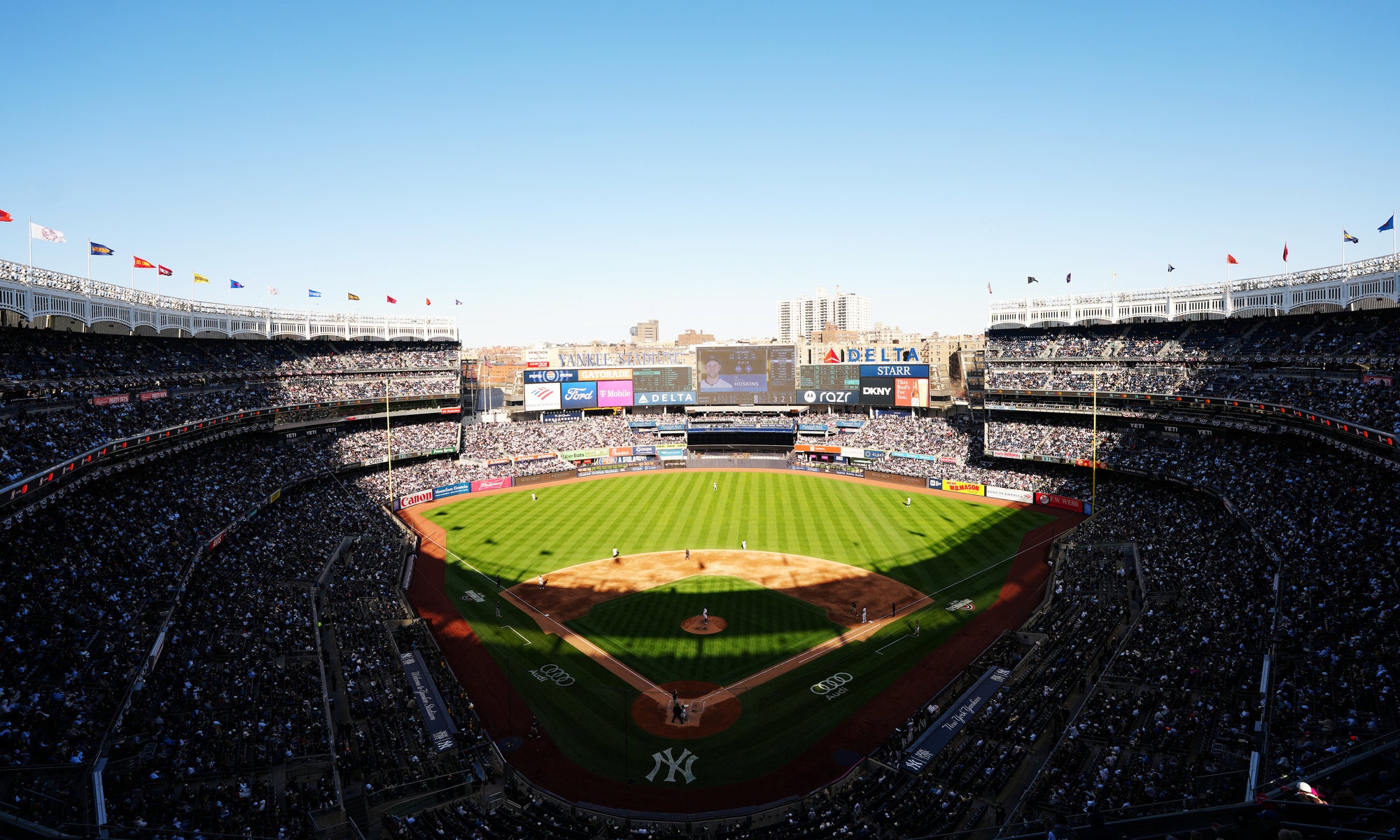
Jay-Z doesn’t announce live dates often, which is exactly why these Yankee Stadium shows feel bigger than a standard concert announcement. When an artist with this kind of catalog books only two hometown stadium nights tied to milestone albums, the result feels less like a stop on the calendar and more like a full-scale event.
These shows are built around two defining releases: Reasonable Doubt, which turns 30 in 2026, and The Blueprint, which marks its 25th anniversary this year. Instead of stretching the idea into a national tour, Jay-Z is keeping the celebration centered in New York with two one-off stadium performances in the Bronx.
That mix of hometown stakes, limited dates, milestone albums, and Jay-Z’s general rarity as a live performer is exactly why demand should be massive. If you want to be there, the smartest play is to understand how each ticket window works, be ready when the public onsale opens, and know where to pivot if primary inventory disappears fast.
How do presale tickets work for Jay-Z at Yankee Stadium?
Tickets for the Yankee Stadium shows are rolling out in phases before the public gets access.
Here’s the ticket release order:
Citi cardmember presale: Eligible Citi cardholders get the first buying window, which begins Monday, March 23 at 10:00 a.m. ET. Depending on the event, Ticketmaster says access can involve entering the first six digits of an eligible Citi card or using a linked Citi/Ticketmaster setup. Citi typically shares presale access through the Citi Entertainment hub or by email, so it’s worth checking both ahead of time.
Live Nation presale: The next window opens Monday, March 23 at 1:00 p.m. ET for fans with a free Live Nation All Access account. Live Nation says Ticketmaster-hosted presales tied to All Access are usually unlocked through account recognition, not a universal code, provided the same email is used across accounts. Fans can usually access the Live Nation presale by heading to the event page during the sale window and signing in with the same email tied to their All Access account.
After those early access windows, any remaining primary inventory moves into the general public onsale.
Step-by-step guide for Jay-Z’s Live Nation presale
Trying the Live Nation window gives you another chance before the public onsale, but it’s still competitive. Having access to the presale doesn’t guarantee tickets, and Ticketmaster notes that inventory can vary by event.
Step 1: Create a Live Nation All Access account
Head to Live Nation and sign up for All Access, which is free. Live Nation says this membership is what unlocks participating presales and other fan benefits.
Step 2: Check that your email is consistent across accounts
This is one of the biggest details to get right. Live Nation says that for Ticketmaster-hosted presales, access works best when your Ticketmaster account uses the same email address as your All Access membership.
Step 3: Prep your Ticketmaster account ahead of time
Before tickets go live, sign in, verify that your payment method is saved, and make sure your billing info is current. Any small delay during checkout can matter for a show with this much demand.
Step 4: Use the Live Nation offer once the presale opens
According to Live Nation, when the presale prompt appears on Ticketmaster, fans should click “OK” instead of trying to type a password. From there, choose Live Nation Presale, tap “View Offers,” and then click “Unlock” to shop eligible seats.
Step 5: Have backup choices ready
Don’t go in with a one-section-or-bust mindset. Decide ahead of time what your preferred area is, what your backup is, and how much you’re willing to spend so you can react quickly if inventory shifts.
When do tickets for Jay-Z at Yankee Stadium go on sale?
The general onsale begins Tuesday, March 24 at 10:00 a.m. ET.
That’s when the remaining standard inventory is released to the broader public through Ticketmaster. For fans who don’t buy in one of the earlier access windows, it’s another shot at face-value tickets before more attention shifts to the resale market.
Because there are only two shows and both are built around major album anniversaries, expect the public onsale to attract serious traffic. And if tickets move quickly there too, SeatGeek is the clearest next place to look.
Presale and onsale tips for getting Jay-Z tickets at Yankee Stadium
A little preparation can make a big difference once tickets start moving. These are the habits that give you the best chance to react quickly and make smart decisions under pressure.
Look at the venue map before ticket time
Spend a few minutes on SeatGeek’s interactive Yankee Stadium map before tickets drop. Get familiar with the stadium layout, identify the sections you’d actually be happy with, and think through how much you want to pay for each level of seat quality.
At Yankee Stadium, that might mean deciding between infield lower-bowl seats for a more direct stage view, outfield seats with a stadium-and-skyline backdrop, or upper levels that trade distance for a more budget-friendly price.
Set a real budget before the pressure hits
Don’t wait until tickets are in your cart to decide what you’re comfortable spending. Pick a target number, a stretch number, and a firm cutoff so you’re not making emotional decisions in the moment.
Rank your seating options in advance
Instead of obsessing over one perfect section, build out a short list. Know your ideal pick, your best fallback, and the area you’d accept just to get in the building.
Be signed in early
Have your ticketing account open ahead of time, with payment details saved and your password handy. If there’s a queue or waiting room, you want to be settled in before the traffic spikes.
Stay calm if the first pass looks ugly
It’s common for inventory to shift in the first few minutes as carts expire and failed checkouts send tickets back into circulation. If your first search looks bleak, don’t bail immediately.
Don’t overcomplicate things in checkout
Once you’re in the buying flow, avoid unnecessary refreshing and bouncing between too many windows. Move cleanly through checkout, verify the details, and finish the purchase.
What happens if I don’t get Jay-Z presale or onsale tickets?
If you miss out during presale or onsale, SeatGeek is your best bet to still get in through resale.
Rather than refreshing Ticketmaster and hoping inventory suddenly improves, you can shift to resale and compare live listings across a range of sections and price points. SeatGeek makes that easier by showing all-in prices, so you can evaluate the true cost up front rather than discovering extra fees at the end.
You can also lean on Deal Score to quickly spot listings that offer a strong balance of price and location, which is especially helpful for a stadium event where there can be a huge spread between sections.
Every purchase is also backed by SeatGeek’s Buyer Guarantee, which adds confidence when you’re buying verified resale tickets for a major event.
What are the advantages of buying Jay-Z resale tickets?
For a show like this, resale can offer more flexibility than the primary market.
One clear advantage is control. In a fast-moving onsale, you may have to grab whatever becomes available. On SeatGeek, you can compare options more deliberately and focus on the specific sections or prices that work for you.
Another advantage is continued inventory. As more ticket holders list seats, the market can evolve, which means options that weren’t available during the initial rush may show up later.
Resale also lets you shop with a more strategic mindset. Some fans want to buy immediately, while others prefer to watch how prices move and jump in when they see a listing that feels right.
That can be especially useful at a venue like Yankee Stadium, where one buyer may want floor access, another may be hunting for lower-bowl sightlines, and another may simply want the most affordable way through the gate.
How to buy Jay-Z Yankee Stadium tickets on SeatGeek
If you’re shopping for Jay-Z Yankee Stadium tickets on SeatGeek, here’s how to make the process simple.
1. Search for Jay-Z tickets
Open SeatGeek on desktop or in the app, search Jay-Z, and pick the Yankee Stadium date you want. Whether you’re chasing Reasonable Doubt night, The Blueprint night, or trying to line up both, this is where the play starts.
2. Scope out the map like a strategist
Once you’re on the event page, use SeatGeek’s interactive map to see exactly where every listing sits in the stadium. Maybe you want to be down low and close to the action. Maybe you’re looking for the cleanest angle at the right price. Either way, this is where you figure out your lane.
3. Use filters to narrow the field
Narrow the listings by price, section, quantity, or delivery type so you’re not wasting time on seats that were never in the plan. If you’ve already set your budget, this is where you make it work in real life.
4. Let Deal Score do some of the heavy lifting
Deal Score helps you quickly spot tickets that stand out for value, balancing seat quality and price so you can identify strong options without overthinking every single listing.
5. Check out and lock it in
Once you’ve found the one, move through checkout, confirm the details, and secure your seats. Then keep an eye on delivery so you’re set long before show day.
If Jay-Z at Yankee Stadium is on your summer list, SeatGeek makes it easy to compare the market, find your best option, and buy verified resale tickets with confidence.
📁 Categories: Concerts
🏷️ Tags: Jay-Z, Yankee Stadium, New York City