Jul 9, 2026
·Max Meyer

Shopping for premium tickets should feel exciting, not confusing. But if you have ever tried to compare club seats, lounge access or other upgraded options, you know the hardest part is often figuring out where those options are, what they include and which games actually have them available.
SeatGeek’s Premium tab helps solve that by bringing premium seating options into one place on select team pages, giving fans a simpler way to browse upgraded experiences before choosing the game that fits their plans.
What the SeatGeek Premium tab does
The Premium tab lives on select team pages on SeatGeek and sits alongside tabs like Events and Parking. On MLB and NFL team pages, it gives fans a simpler path to upgraded seating by bringing all of a team’s premium options into one place.
Instead of piecing things together from scattered listings, fans can browse the different premium options at the venue, see what perks come with each one and understand which options are available across that team’s home games. It’s a more straightforward way to compare premium experiences and get to the right tickets faster.
Let’s say you’re planning your kid’s birthday around a New York Mets game and want to make it unforgettable with a premium experience. You’d start on SeatGeek’s Mets page and click on the “Premium” tab near the top of the page (alongside the “Regular Season,” “Parking” and “Schedule” tabs).
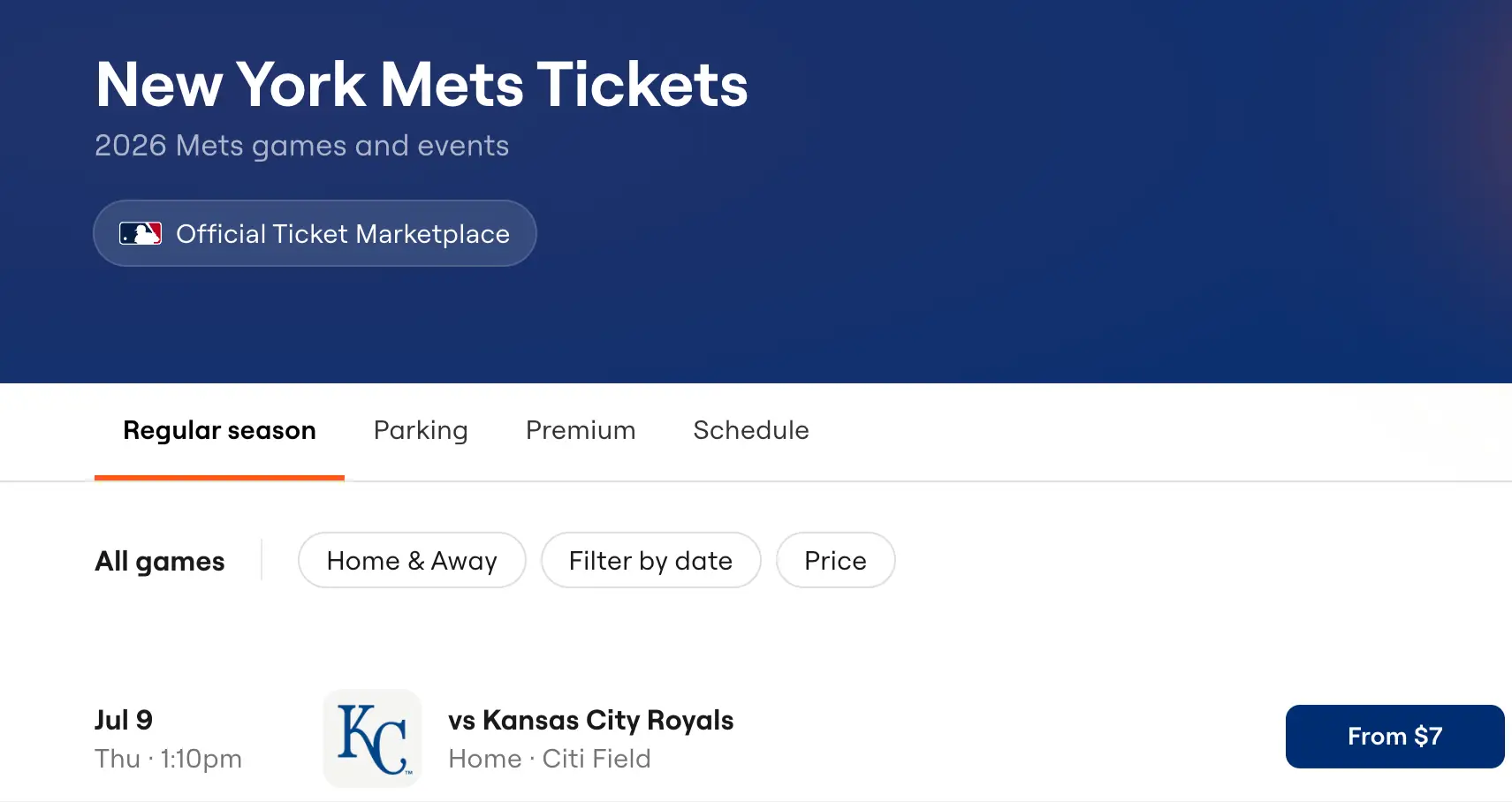
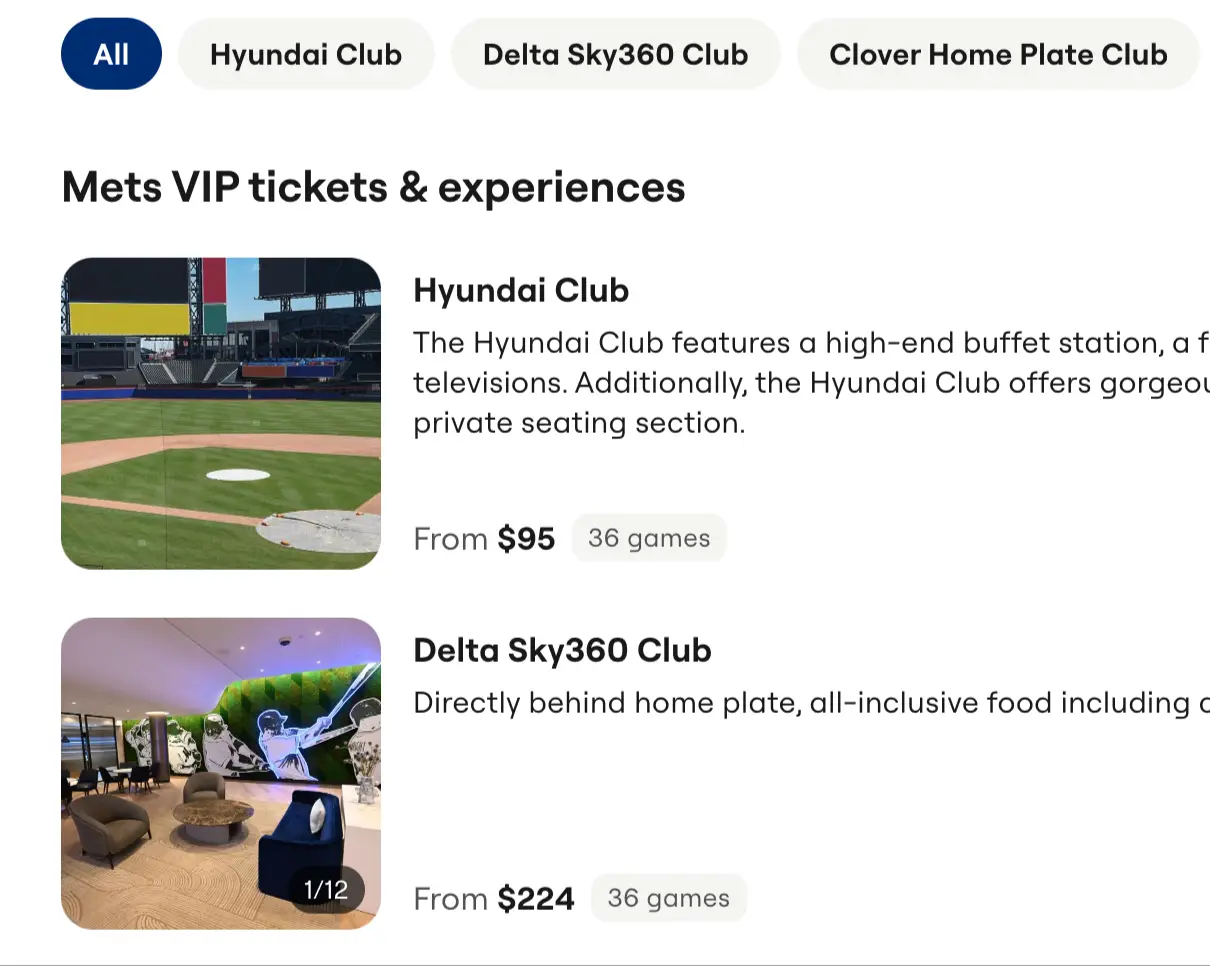
Once you get to the Mets’ premium page, you can browse the different premium options available at Citi Field and compare the experiences by price, location and perks.
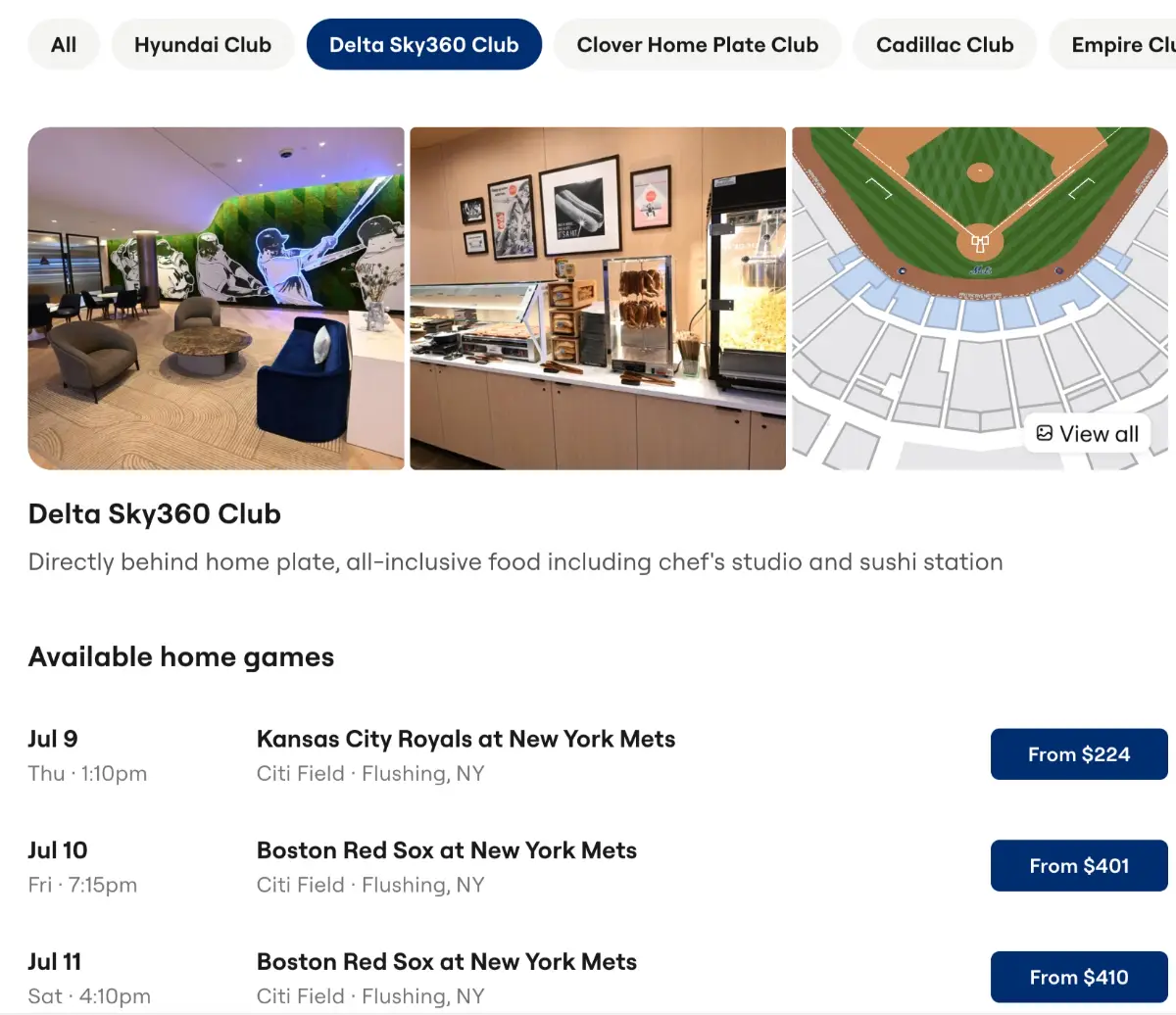
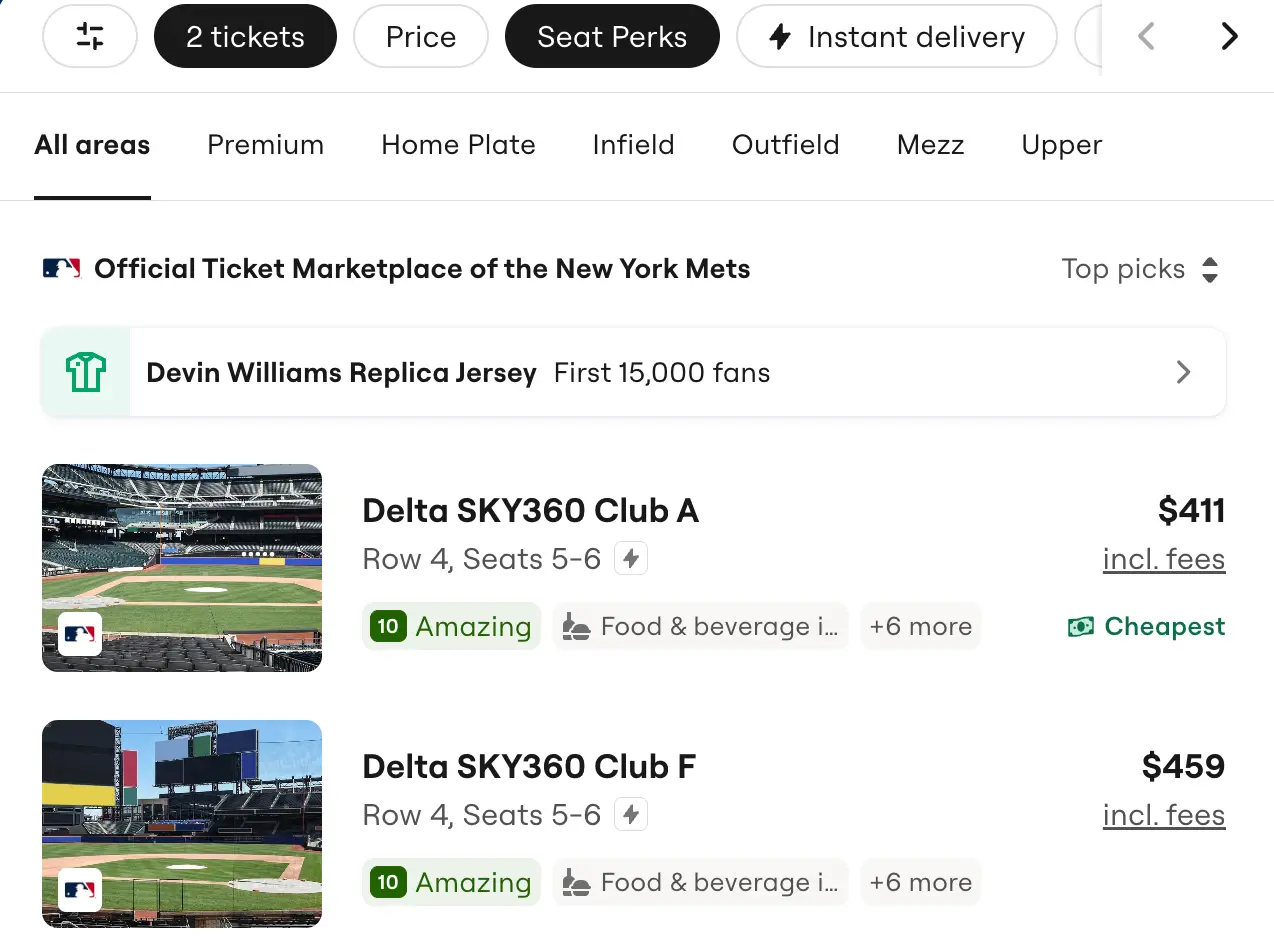
After you find the option that feels right, you can see which games have availability for that space and then click through to the event page to buy it.
Why finding premium tickets on SeatGeek is easier than other ticket marketplaces
Shopping for premium tickets has usually meant doing extra work before you can even decide what you want. In a more typical ticket marketplace shopping experience, you often have to know the name of a club or lounge ahead of time, jump between listings and piece together what each option actually includes.
SeatGeek’s Premium tab makes that process easier by bringing a team’s premium spaces into one place and helping them move directly to games where that experience is available. If you’ve ever tried shopping for premium tickets in the past, you know it can take a lot of time and leave you frustrated before you even figure out what your options really are.
Simply put, the Premium tab makes existing premium inventory much easier to discover and shop for. Instead of searching listing by listing for the right perk, fans can start with the premium experience they want and get to the right tickets faster.
What live events SeatGeek’s Premium tab is available for
Right now, the Premium tab is available across MLB and NFL team pages on SeatGeek. It first launched for MLB teams in March 2026, and SeatGeek later expanded the rollout to NFL teams as well.
SeatGeek is the Official Ticket Marketplace of MLB, so the Premium tab adds another way for baseball fans to browse upgraded experiences directly from their favorite baseball team’s page.
As a Verified Ticket Marketplace of the NFL, SeatGeek gives fans a more trusted and straightforward way to shop, and the Premium tab builds on that. SeatGeek is also the Official Primary Ticketing Partner of the Dallas Cowboys, Baltimore Ravens, Washington Commanders, Arizona Cardinals, Tennessee Titans and New Orleans Saints, but the Premium tab is available for all 32 NFL teams.
How to buy premium tickets on SeatGeek
If you know you want to buy premium tickets for an upcoming MLB or NFL game, there isn’t a better place to do so than SeatGeek.
1. Go to your team’s page on SeatGeek and click the Premium tab to see the available premium options for that venue.
2. Browse the different clubs, lounges, and other premium spaces to find the experience that fits what you’re looking for.
3. Click on the premium option you want to see which home games have tickets available for that specific space.
4. Once you’re on the event page, use SeatGeek’s interactive seat map to compare sections, views, and prices, and use Deal Score to quickly spot strong-value listings.
5. Before you buy, check the listing details to confirm the name of the premium option and the perks included with that ticket.
6. Choose the listing that works best for you and check out, knowing every order is backed by our Buyer Guarantee.
At the end of the day, SeatGeek’s Premium tab makes premium seating feel a lot less confusing and a lot more fun to shop.
📁 Categories: Sports